
How to Verify Health Monitors Accuracy at Home
Health monitors can be helpful, but their readings are only useful if you know how accurate they are. Before relying on daily measurements, it is important to check whether your device performs consistently under normal home conditions. This guide explains simple ways to verify health monitors accuracy at home, so you can make more confident decisions about tracking your wellness.
What does accuracy mean for health monitors at home?
Accuracy means a device measures close to the true value. For health monitors, that includes heart rate, blood pressure, oxygen saturation, temperature, or glucose-related trends.
At home, health monitors rarely operate in laboratory conditions. Lighting, body movement, skin temperature, cuff position, and battery level can all affect readings.
A useful check includes two parts: accuracy and consistency. A monitor may seem precise because numbers repeat, yet still be wrong compared with a trusted reference.
Consistency matters because many people use health monitors for trend tracking. If the device behaves the same way every time, trend data becomes easier to interpret.
Verification at home does not replace clinical calibration. It helps you decide whether your health monitors are reliable enough for personal tracking and when professional review is needed.
Which health monitors can you verify without special equipment?
Some health monitors are easier to check than others. Home verification works best when a reasonable reference is available and the measurement method is simple.
Good candidates for home checks
- Digital thermometers compared with another trusted thermometer
- Blood pressure monitors compared with a validated clinic device
- Pulse oximeters compared with repeated stable readings
- Heart rate monitors compared with a manual pulse count
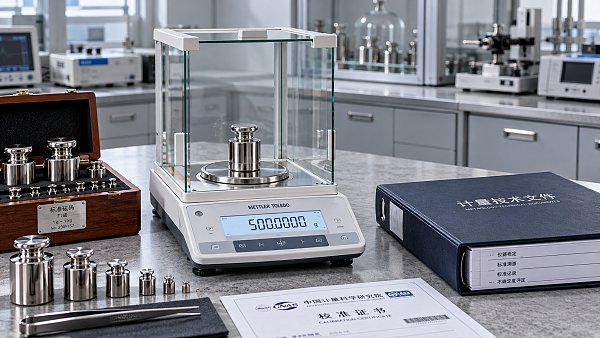
- Body weight scales checked using known weights
Harder devices to verify fully
Advanced health monitors may estimate sleep quality, stress, ECG rhythm changes, hydration, or calorie burn. These features often use algorithms that are difficult to confirm at home.
In those cases, focus on repeatability, correct usage, and comparison with basic indicators. If outputs change without clear reasons, treat the result as a prompt, not a diagnosis.
How can you set up a fair home test for health monitors?
A fair test reduces avoidable variables. This is especially important because many health monitors perform well only when used under stable conditions.
Start with the basics
- Read the manufacturer instructions carefully.
- Install fresh batteries or fully charge the device.
- Clean sensors, cuffs, probes, or contact surfaces.
- Test at the same time of day if possible.
- Rest quietly for five to ten minutes first.
Control common interference
Avoid caffeine, smoking, exercise, and hot showers before testing. These factors can shift your body state and make health monitors appear inaccurate when the body itself changed.
Take at least three readings, not one. Record the values, the time, and any unusual conditions. A small log quickly reveals whether variation is random or systematic.
Use a trusted reference
The best reference is a recently validated device or a measurement taken during a clinical visit. Use the same body position and sequence for each comparison.
For pulse, count beats manually for thirty or sixty seconds. For scales, use sealed items with known mass. For thermometers, compare under similar placement conditions.
How do you verify different types of health monitors step by step?
Different health monitors require different checks. The goal is not perfect laboratory proof. The goal is practical confidence in normal household use.
Blood pressure monitors
Sit with feet flat and back supported. Keep the cuff at heart level. Do not talk during the reading. Repeat three times with one-minute pauses.
Compare your average reading with a validated monitor or a clinic result taken close in time. Large differences may come from cuff size, arm position, or body movement.
Pulse oximeters and heart rate monitors
Warm your hands first. Remove nail polish if needed. Stay still and wait until the reading stabilizes. Compare pulse with a manual count.
For oxygen readings, home users mainly check stability. If one finger gives odd results, test another finger after resting. Consistent unexpected lows deserve medical attention.
Digital thermometers
Use the same body site every time. Oral, ear, forehead, and underarm measurements are not directly interchangeable. Site differences can look like poor accuracy.
Take repeated readings according to the instructions. If two reliable thermometers disagree often, check battery condition, probe placement, and environmental exposure.
Smart scales and wearable health monitors
Place scales on a hard, level surface. Weigh a known object several times. Then weigh yourself at the same time each day under similar conditions.
Wearable health monitors should fit properly and stay in skin contact. Loose placement causes unstable heart rate and sleep estimates, especially during movement.
What mistakes make health monitors seem inaccurate?
Many concerns about health monitors come from usage errors, not defective devices. Knowing common mistakes can save time and reduce unnecessary replacement costs.
- Using the wrong cuff size for blood pressure
- Testing immediately after activity or emotional stress
- Taking one reading and assuming it is final
- Comparing measurements from different body sites
- Ignoring firmware updates in connected health monitors
- Using damaged sensors, dirty probes, or low batteries
Environmental factors also matter. Cold rooms, bright sunlight, vibration, and poor wireless syncing can affect some health monitors more than users expect.
When should you trust, retest, or replace health monitors?
Trust the device when readings are repeatable, align reasonably with a reference, and make sense with your physical condition. Stable trends are often more valuable than single numbers.
Retest when the result feels unusual, conditions were poor, or body movement occurred. Wait a few minutes, reset the device, and repeat under better conditions.
Replace or professionally inspect health monitors when differences remain large after careful retesting. Frequent error messages, damaged components, or aging sensors are warning signs.
In broader quality-focused industries, verification is standard practice. The same mindset helps at home: use repeatable methods, document results, and avoid decisions based on weak data.
Quick FAQ table
Verifying health monitors accuracy at home is mostly about method, patience, and comparison. Small improvements in setup can greatly improve confidence in your daily numbers.
Choose one device to check this week. Create a simple log, repeat measurements carefully, and compare results with a trusted reference. Better data leads to better wellness decisions.
Taglist:
Recent Articles
 2026.10.27India Hosts 61st CIML Meeting for First Time, Advances International Metrology AlignmentIndia hosts the 61st CIML meeting, highlighting OIML-CS status and legal metrology reforms. Explore what international alignment could mean for instrument certification and equipment trade.
 2026.10.27When should you call emergency medical services instead of driving?When should you call emergency medical services instead of driving? Learn the critical warning signs, why an ambulance can be safer, and what to do while help arrives.
 2026.10.26Mycronic Wins $12–14 Million Photomask System Order from Asian CustomerMycronic secures a $12–14 million photomask system order from an existing Asian customer. Explore the writing and measurement systems and their planned 2027 deliveries.
 2026.10.26Piezoelectric Actuator Selection: Balancing Stroke, Force, and BandwidthSelect the right piezoelectric actuator by balancing loaded stroke, force, and bandwidth. Explore key design checks to improve precision and avoid costly sizing mistakes.
 2026.10.26Layer Deposition Equipment: ALD vs. CVD for High-Aspect-Ratio FeaturesCompare layer deposition equipment for high-aspect-ratio features. Explore ALD vs. CVD conformality, throughput, and costs to choose the right system with confidence.
 2026.10.26Checking repeatability in bulk orders of encoder-feedback nano stagesCompare encoder feedback nano-positioning stage wholesale offers using repeatability tests, lot acceptance criteria, and traceable reports. Learn how to reduce risk and buy with confidence.
 2026.10.25Sidea Semiconductor Granted Patent for Probe Card Alignment CalibrationSidea Semiconductor's probe card alignment calibration patent aims for precise, low-cost automation without a calibration target. Explore its potential for semiconductor testing.
 2026.10.25How to assess long-term drift in a high-stability laser interferometerAssess long-term drift in a high stability laser interferometer with reliable reference tests, environmental tracking, and clear acceptance limits. Learn how to validate lasting measurement accuracy.
 2026.10.24SIA Submits Comments to EPA on Draft Trans-DCE Risk AssessmentSIA backs EPA’s draft Trans-DCE risk assessment for semiconductor manufacturing. Explore what its comments could mean for continued lawful use, supply stability, and production planning.
 2026.10.24How to size plastic extrusion machines for your target outputSize plasticextrusionmachines for your target output with practical throughput calculations, resin checks, and line-capacity tips. Avoid costly sizing mistakes and choose with confidence.
 2026.10.23Leadmicro Showcases Full ALD, CVD and PVD Lineup at Bay Area Semiconductor ExpoExplore Leadmicro’s ALD, CVD and PVD lineup at the Bay Area Semiconductor Expo, including magnetron sputtering solutions and key checks for smarter equipment procurement.
 2026.10.23How much does closed-loop control add to the price of PZT drivers?Understand PZT drivers price increases for closed-loop control. Compare sensors, electronics, and installation costs to make a smarter purchasing decision.
 2026.10.22Leadmicro Adds PVD Products, Expanding ALD, CVD and PVD CoverageLeadmicro expands ALD, CVD and PVD coverage with new iMagtron PVD products and a ruthenium ALD process. Explore what these advances mean for thin-film deposition and equipment buyers.
 2026.10.22What limits commercial adoption of micro-robotics in Latin America?Micro-robotics Latin America: What limits commercial adoption? Explore costs, integration hurdles, and service gaps—and learn how to reduce investment risks.
 2026.10.21NTT, Furukawa Electric and Partners Launch Photonics Mass-Production R&DExplore NTT and Furukawa Electric's photonics mass-production R&D with partners, targeting scalable chip manufacturing for energy-efficient AI computing and higher-bandwidth data centers.
 2026.10.21What ultra-precision engineering case studies reveal about thermal driftExplore ultra-precision engineering project cases to uncover hidden thermal drift, assess compensation, and learn what evidence to request before choosing a precision system.
 2026.10.20BASF Signs Letter of Intent with Taiwan Ministry to Expand Guanyin Semiconductor MaterialsBASF’s planned Guanyin semiconductor materials expansion targets sub-2nm manufacturing. Explore what its letter of intent with Taiwan’s Ministry of Economic Affairs could mean for chipmakers.
 2026.10.20How to estimate medical technology costs beyond the purchase priceEstimate medical technology cost beyond the purchase price. Uncover hidden expenses, compare lifecycle costs, and use this guide to make smarter procurement decisions.
 2026.10.1960 Minutes: Iran War Drives Global Helium Shortage, Threatening Semiconductor SupplyIran war-linked global helium shortage reportedly threatens semiconductor supply. Explore chipmaking risks and practical steps to verify inventories, shipments and supplier commitments.
 2026.10.19How to specify zinc coating weight for prepainted GI steel coilsSpecify zinc coating weight for prepainted gi steel coils with confidence. Learn how to define Z275, compare standards, and verify compliance to avoid costly purchasing mistakes.
 2026.10.18How linear motor stage settling time affects inspection throughputOptimize your linear motor stage for inspection systems: learn how settling time, vibration, and exposure timing affect throughput—and boost inspection output without sacrificing accuracy.
 2026.10.17Choosing a microfluidic probe manufacturer for stable flow confinementChoose a micro fluidic probe manufacturer with proven flow confinement. Compare geometry, flow control, validation, and repeatability to find the right fit for your application.
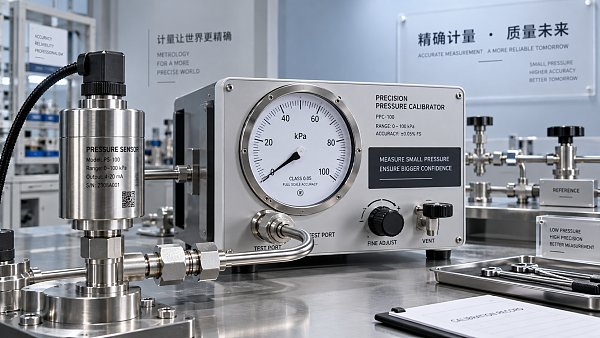
 2026.10.16What does measurement accuracy specified as % of full scale mean?Understand measurement specification accuracy as % of full scale. Learn to calculate error, compare sensor ranges, and choose the right instrument with confidence.
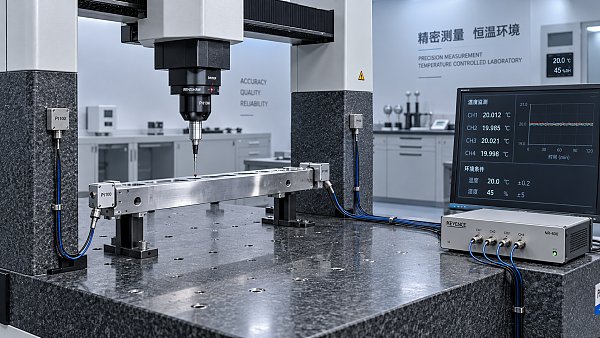
 2026.10.15How temperature affects high-accuracy dimensional analysis systemsDiscover how temperature affects high accuracy dimensional analysis systems, and learn practical ways to control thermal drift, improve compensation, and verify measurement accuracy.
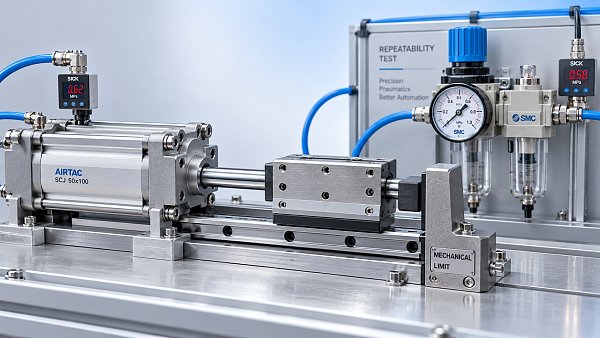
 2026.10.14How air pressure affects precision pneumatic actuator repeatabilityPrecision Pneumatic actuator repeatability depends on more than supply pressure. Discover how pressure, friction, and flow affect positioning—and how to improve consistency in your application.
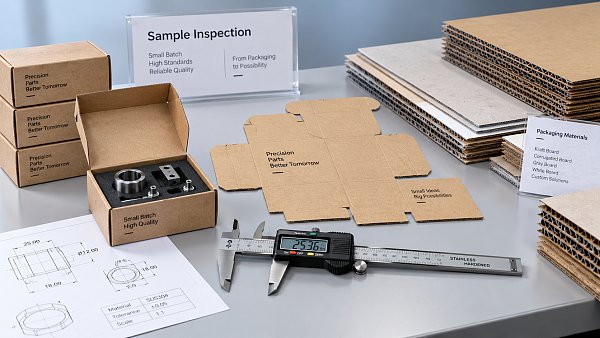
 2026.10.13How to choose a packaging manufacturer for small production runsChoose a packaging manufacturer for small production runs with confidence. Discover how to compare costs, verify samples, and secure quality packaging without excess inventory.
 2026.10.12Low-Impurity Silane Gas: Setting Acceptance Limits Beyond Total PurityEvaluate low impurity silane gas beyond total purity. Learn how to set contaminant limits, verify testing, and qualify suppliers for more reliable deposition.
 2026.10.12SEMI-Compliant Silane Gas: Which Specifications and Test Records Should You Check?SEMI compliant silane gas: Discover the standards, impurity limits, test records, and cylinder traceability checks that support confident purchasing and safer release decisions.
 2026.10.12Ultra-Pure Silane Gas Price: Comparing Quotes Beyond Cost per CylinderCompare ultra-pure silane gas price beyond cylinder costs. Learn how purity, usable quantity, freight, and return terms shape true value—and make a smarter purchasing decision.
 2026.10.12Moisture-Controlled Silane Gas: Tracing Water Contamination in Delivery LinesKeep moisture controlled silane gas reliable. Learn how to validate readings, trace water contamination in delivery lines, and verify recovery with safety-focused diagnostic insights.
 2026.10.12What Does 99.99999% Silane Gas Mean? Understanding 7N Purity and Detection LimitsEvaluate 99.99999 silane gas with confidence. Discover what 7N purity means, how detection limits affect results, and which supplier data to check before qualification.
 2026.10.12Ultra-Pure Silane Gas for Thin Films: Matching Gas Grade to Film RequirementsChoose ultra-pure silane gas for thin films with confidence. Learn to match impurity limits, supplier evidence, and delivery conditions to film requirements while avoiding unnecessary costs.
 2026.10.12Ultra-Pure Silane Gas for PECVD: Linking Impurities to Film DefectsQualify ultra-pure silane gas for PECVD with confidence. Learn how impurities affect film defects and use gas analysis, delivery checks, and film testing to set reliable acceptance limits.
 2026.10.12Qualifying an Ultra-Pure Silane Gas Manufacturer: Batch Consistency and TraceabilityQualify an ultra-pure silane gas manufacturer with confidence. Learn how to verify batch consistency, analytical results, and cylinder traceability to reduce sourcing risks.






















FILTER_CORE
REF_NO: 0042
Editors' Picks
- 00
0000-00
India Hosts 61st CIML Meeting for First Time, Advances International Metrology Alignment - 00
0000-00
When should you call emergency medical services instead of driving? - 00
0000-00
Mycronic Wins $12–14 Million Photomask System Order from Asian Customer - 00
0000-00
Piezoelectric Actuator Selection: Balancing Stroke, Force, and Bandwidth